
macOS Native App
Windows App
Mobile App Soon
Orders become folders. Automatically. On your Disk.
A native desktop app for freelancers.
Create an order – Freelgo builds the folder structure on your disk.
Not project management.
File-first complete workflow system.
Create an order – Freelgo builds the folder structure on your disk.
Not project management.
File-first complete workflow system.
Features
A file-first workflow built for freelancers.
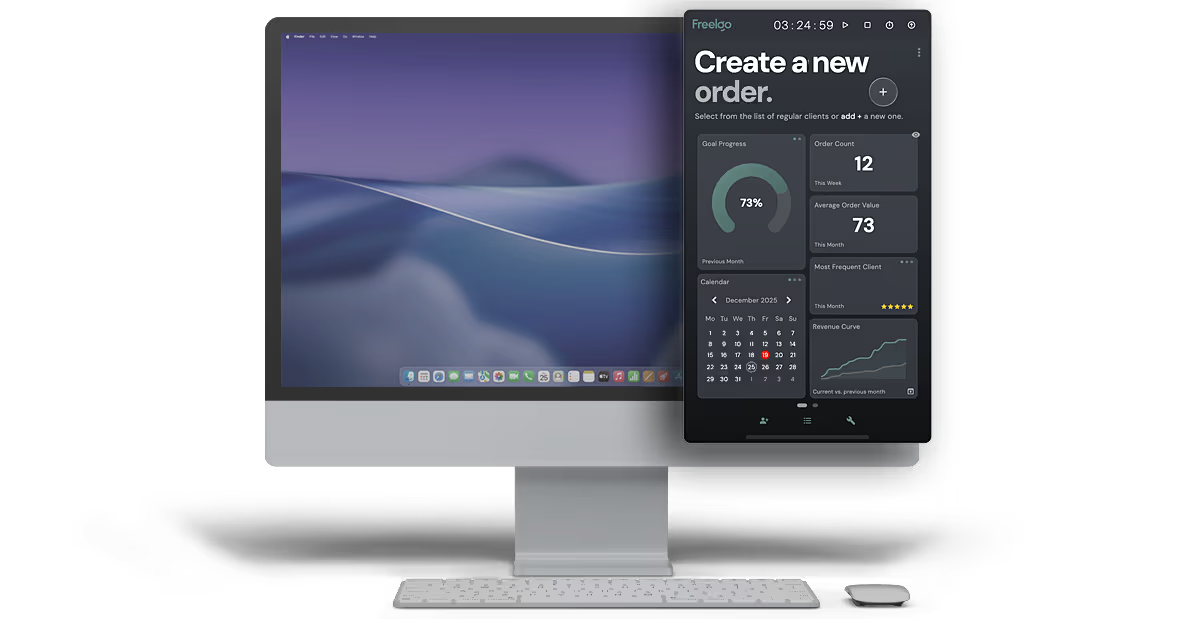
Just pull the panel in, create an order, and start working.
Automatic Folder Structure
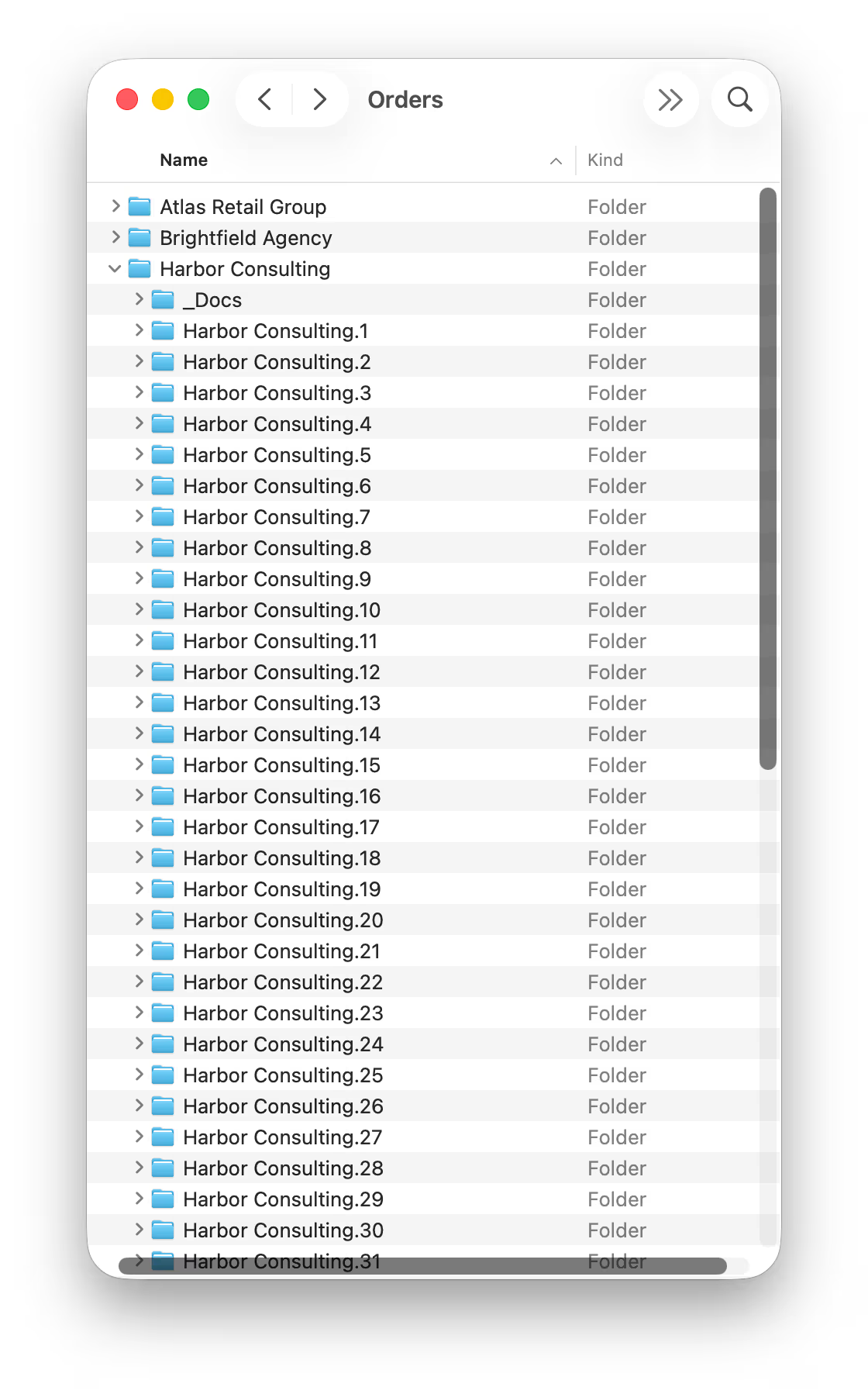
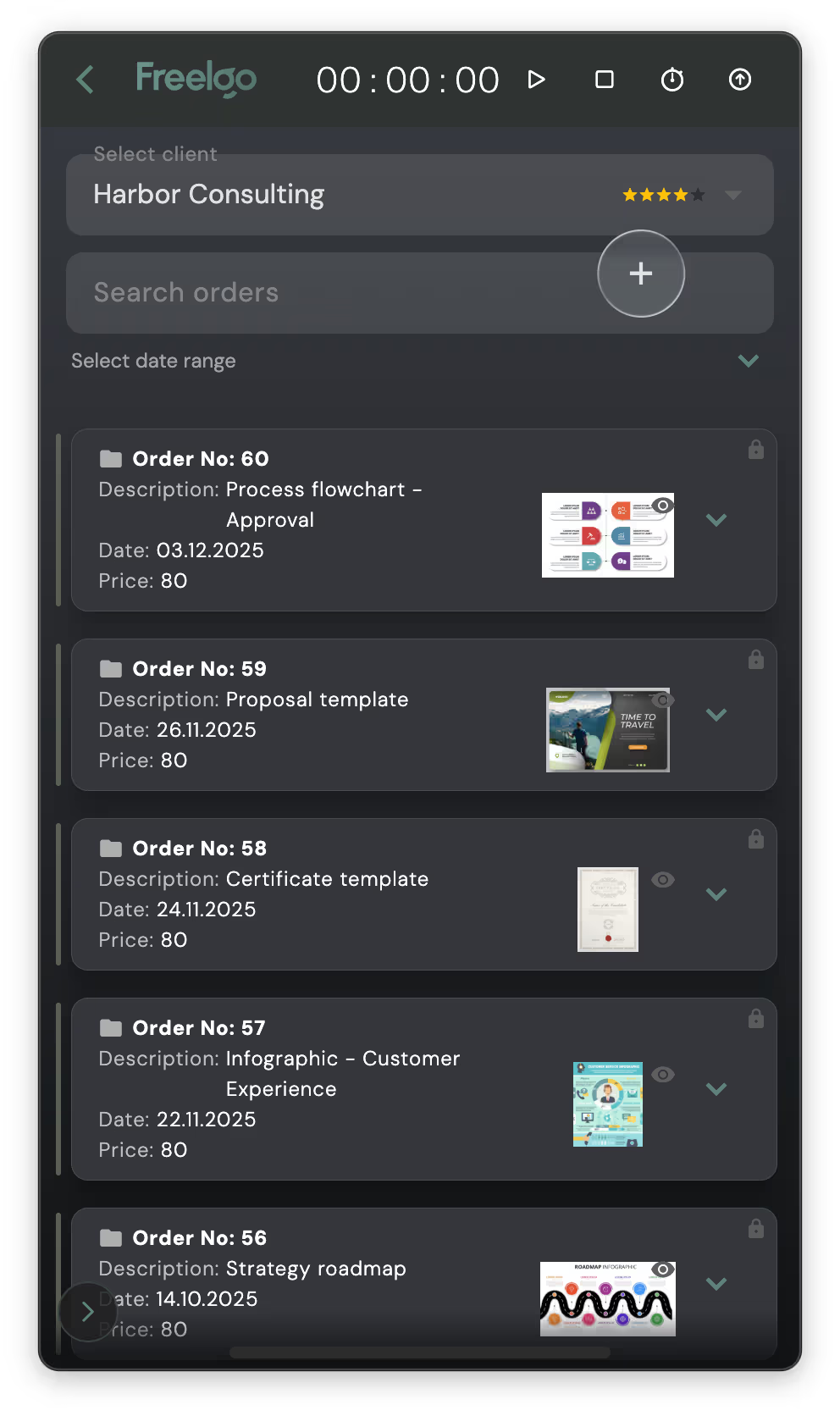
When you create an order for a client, Freelgo turns it into a complete folder structure on your disk.
No manual folder setup.
No naming chaos.
No “where did I save this?”.
Each order gets:
Your files are exactly where they should be - every time.
No manual folder setup.
No naming chaos.
No “where did I save this?”.
Each order gets:
- its own numbered folder in client's space,
- description,
- orderer name,
- price,
- revisions,
- notes,
- instant preview,
- quick access (via Finder or Adobe Bridge).
Your files are exactly where they should be - every time.
Always On. Always Ready.
Freelgo lives as an always-on-top macOS panel.
Pin it to any screen corner. Pull it in with a shortcut. Hide it when you don’t need it.
Three states:
No window hunting. No browser tabs. Your ideal workflow is one shortcut away.
Three states:
- full panel,
- compact timer,
- hidden.
No window hunting. No browser tabs. Your ideal workflow is one shortcut away.
Time Tracking with Time Budget Feature.
Track time automatically or plan work sessions with time budgets and see when you go over.
Examples:
Freelgo counts down, tracks overages, and calculates value based on your hourly rate. No spreadsheets. No guessing.
Examples:
- Inspiration: 60 min,
- Design: 240 min,
- Mockups: 45 min.
Freelgo counts down, tracks overages, and calculates value based on your hourly rate. No spreadsheets. No guessing.
Deadlines Clearly Visible.
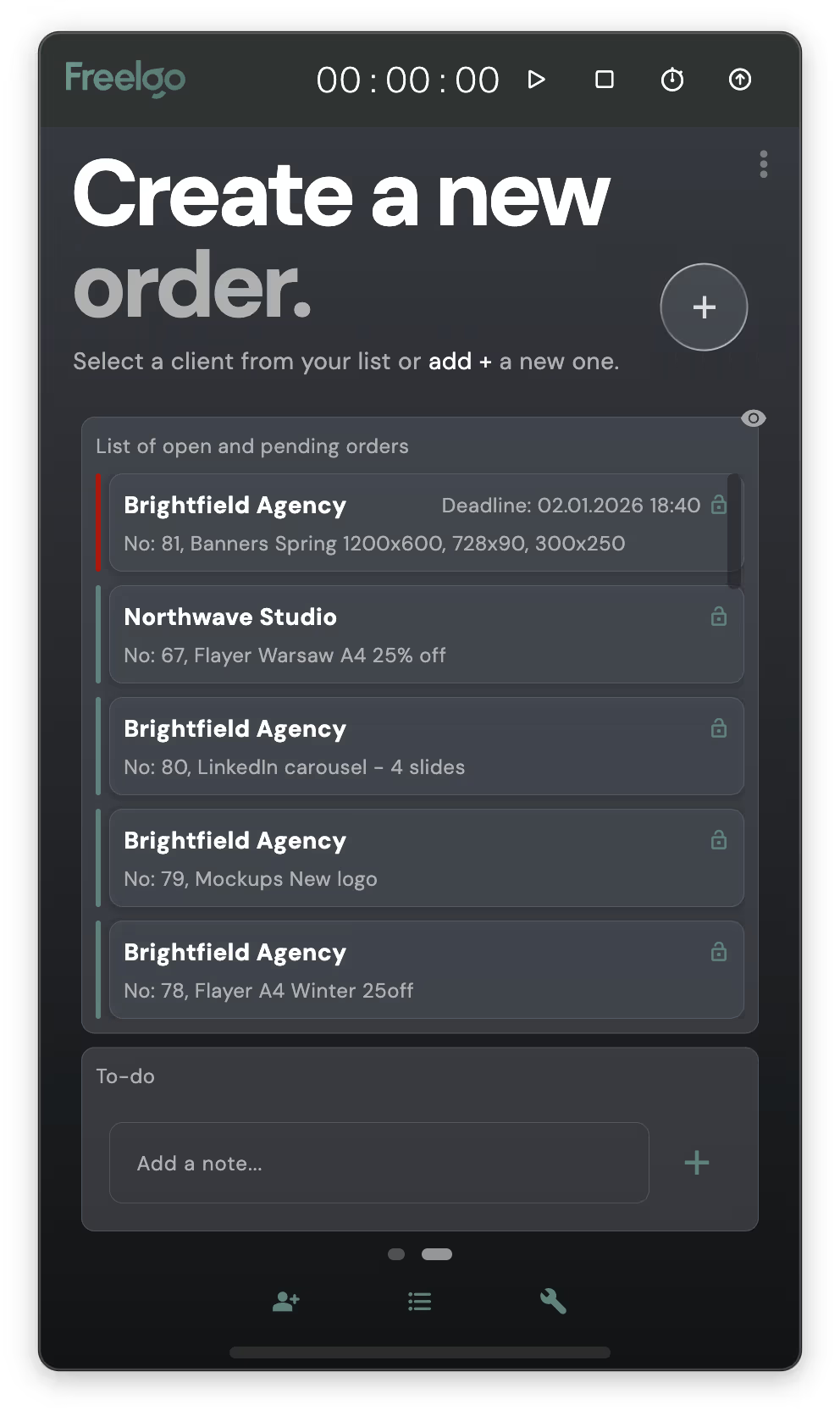
See all deadlines as:
- a calendar view
- a simple list: who, what, and how late (or how much time is left)
Nothing to manage. Just clarity.
Business Stats
Monthly goals, revenue, order count, and averages.
See:
No gamification. Just numbers you actually use.
See:
- current vs previous month,
- most profitable clients,
- income curve over time,
No gamification. Just numbers you actually use.
Built-in Tools for Daily Work
- Large-format print DPI calculator,
- Paper formats (A, B, C, DL) – ready to copy or open in Adobe/Affinity,
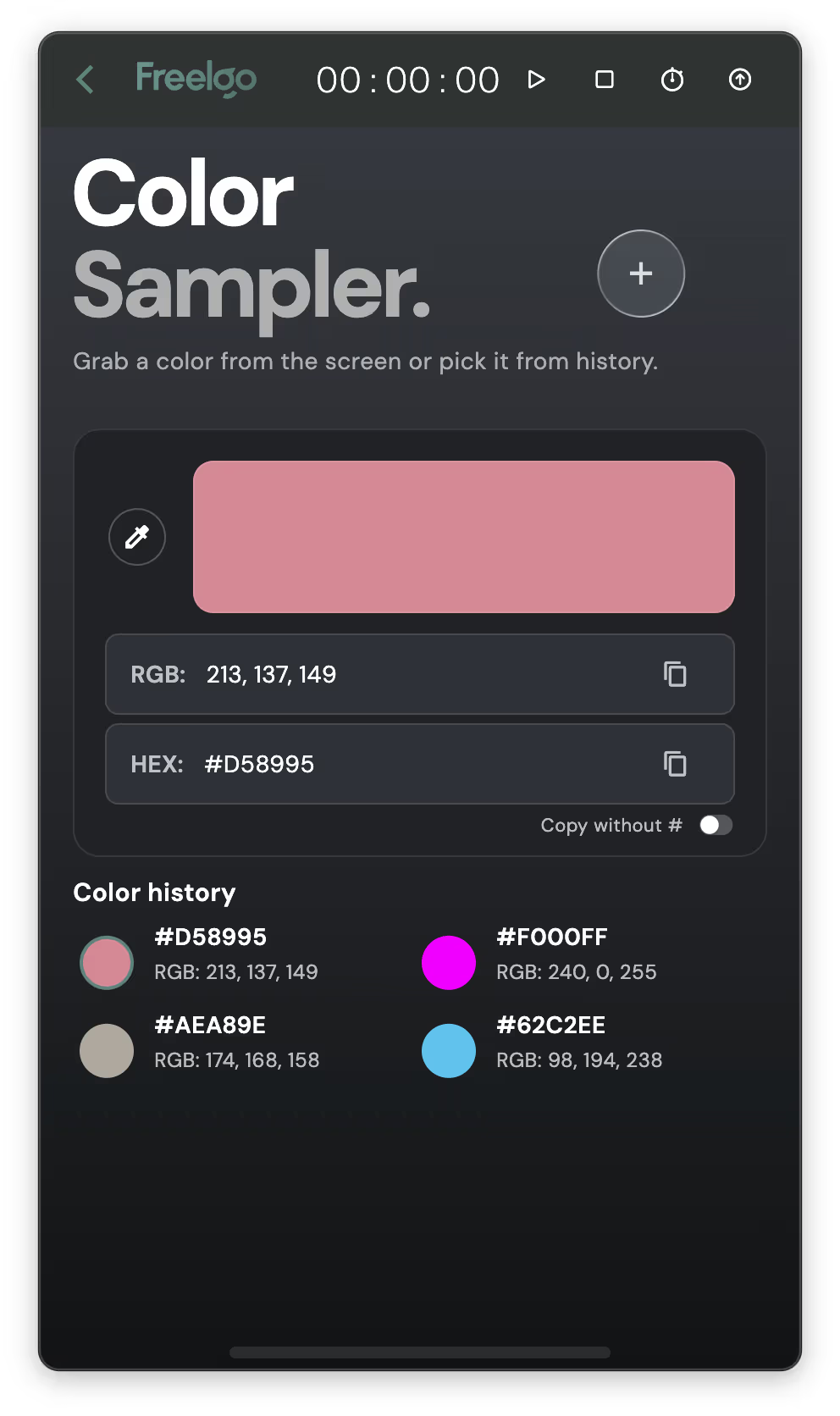
- Color picker RGB/HEX with history,
- Dashboard for previews, screenshots, and drag-and-drop.
All available instantly from the panel.
One-Click PDF Summary
Select a period.
Export a clean PDF summary.
Enter the amount on your invoice.
No searching through emails. No missing work.
No searching through emails. No missing work.
Demo
See how it works
Watch a quick demo of Freelgo in action.
Screenshots
See Freelgo in action
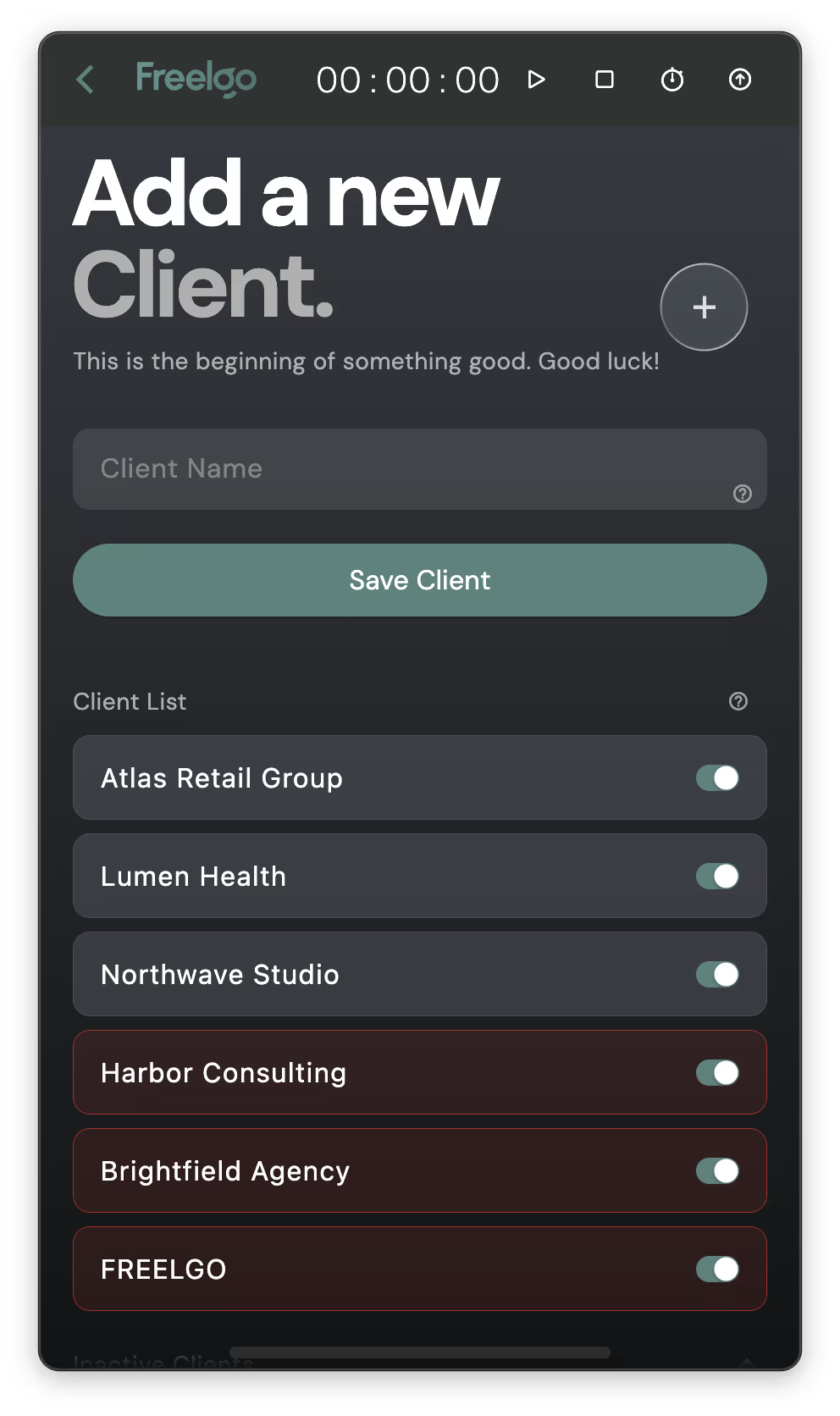
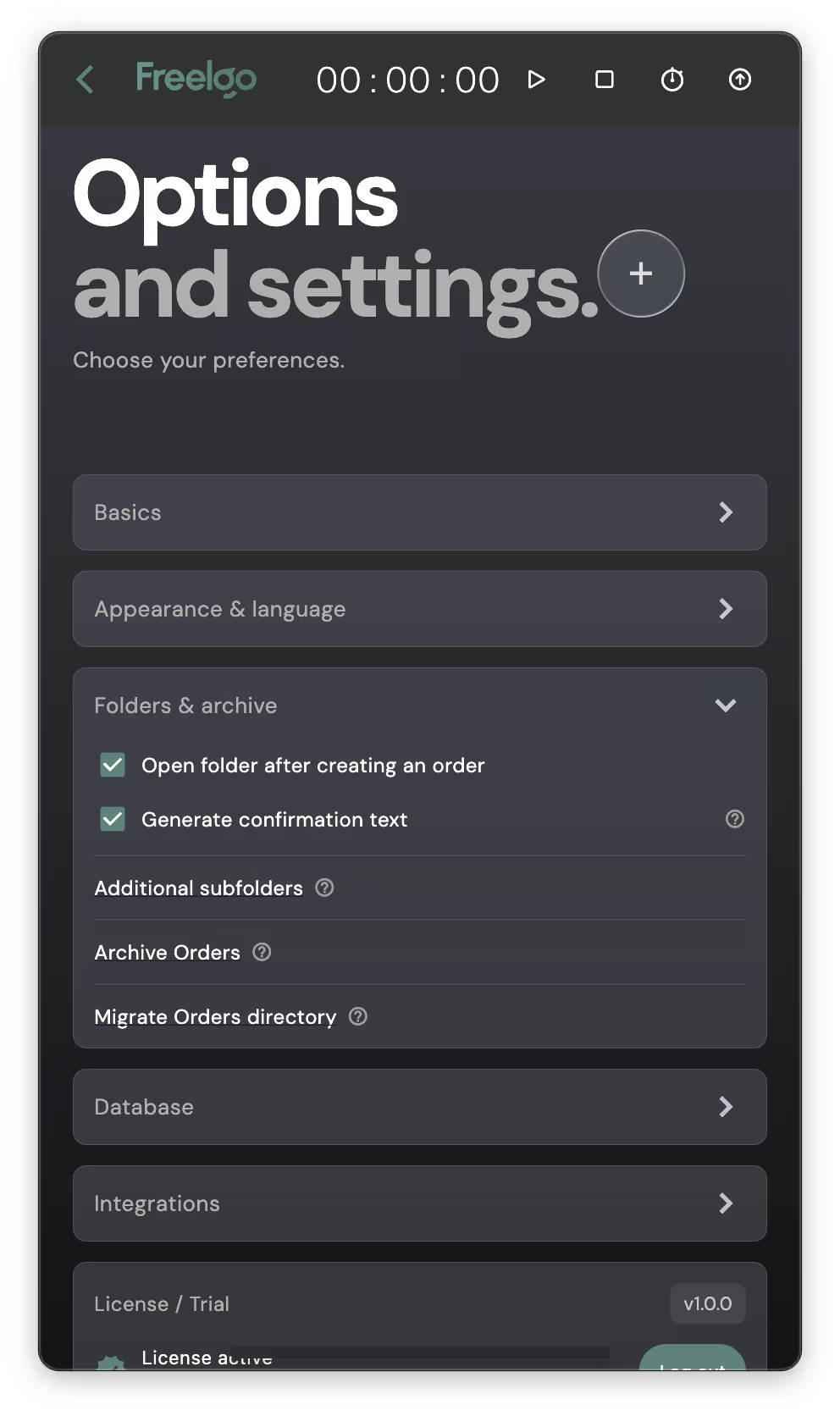
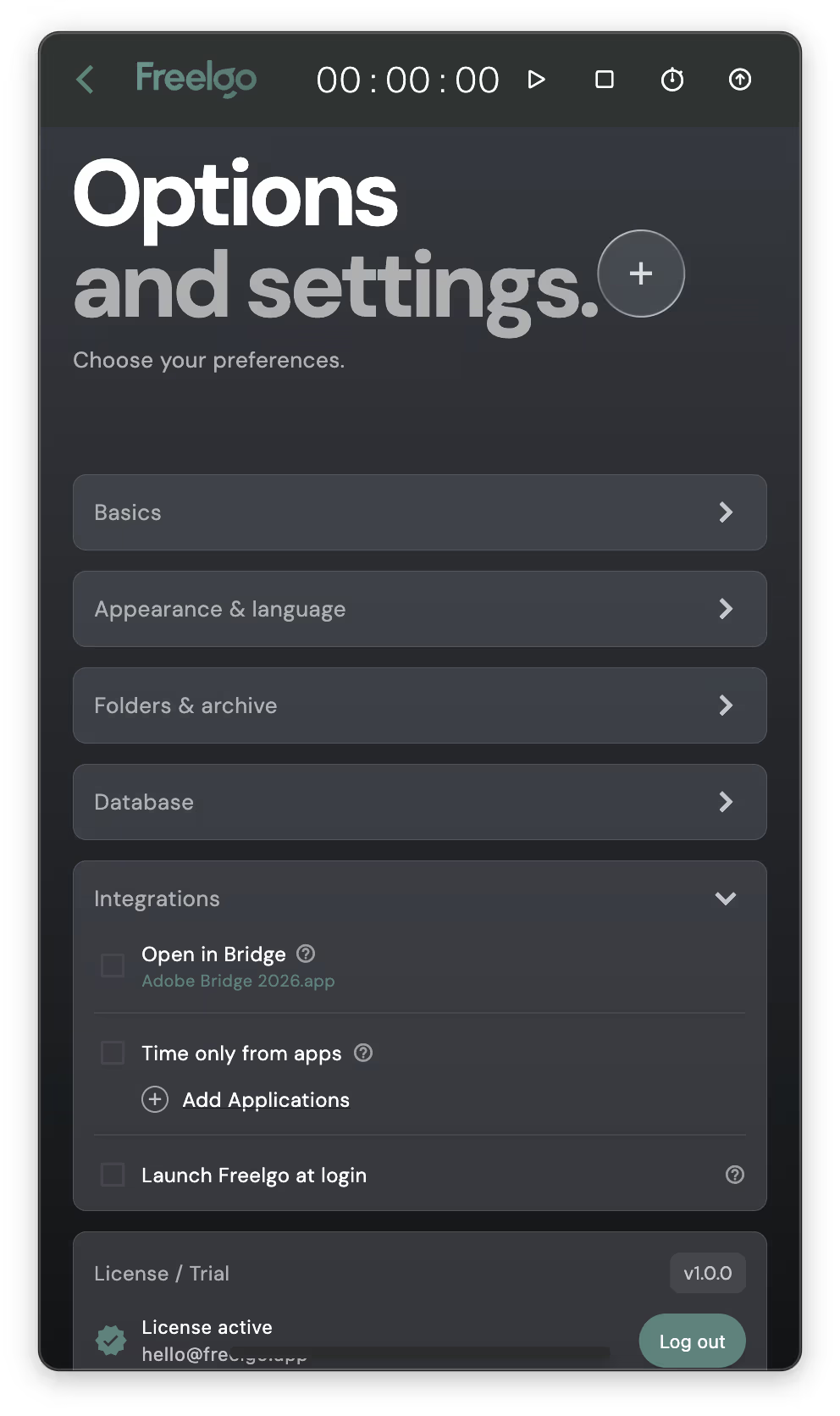
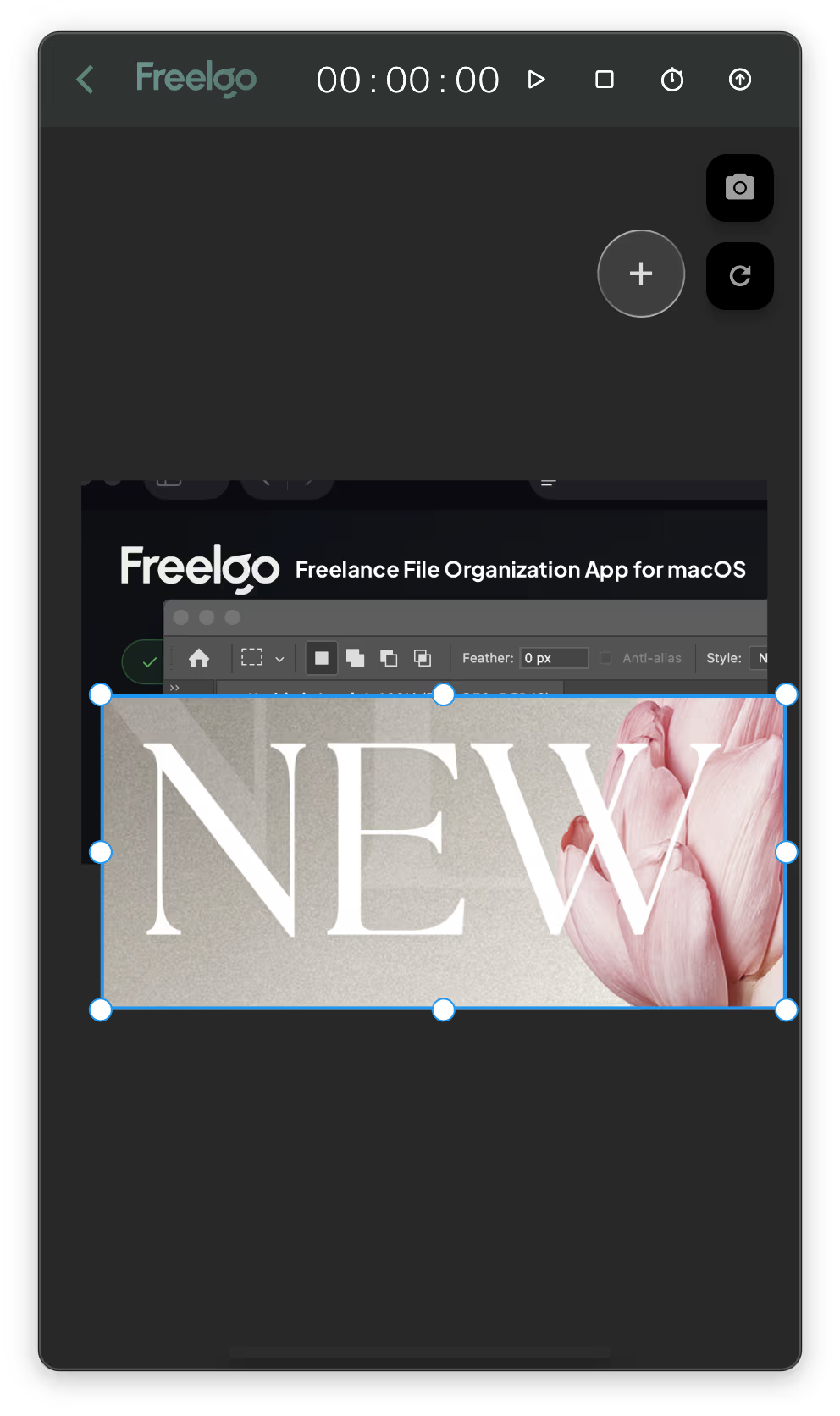
Beautiful, intuitive interface designed for productivity.
FAQ
Frequently Asked Questions
Everything you need to know about Freelgo
Not in the traditional sense.
Freelgo does include basic order tracking: statuses, deadlines, and timestamps for approvals or completion. But it doesn’t focus on managing tasks, teams, or workflows. It focuses on keeping your work, files, context, and pricing together directly on your disk. Think of Freelgo as a file-first workflow, not a task-first project management system. Freelgo manages work outcomes, not work process.
Freelgo does include basic order tracking: statuses, deadlines, and timestamps for approvals or completion. But it doesn’t focus on managing tasks, teams, or workflows. It focuses on keeping your work, files, context, and pricing together directly on your disk. Think of Freelgo as a file-first workflow, not a task-first project management system. Freelgo manages work outcomes, not work process.
Most project management tools are web-first and focus on planning and coordination.
Freelgo is a native macOS app focused on execution.
It works directly with your file system and creates real folder structures on your disk.
There’s no syncing layer and no cloud dependency.
Your files stay exactly where your work already lives.
No.
Freelgo is for you, not your clients. Your clients don’t need accounts, logins, portals, or links. They don’t have to change how they order work or contact you. Clients can keep reaching you exactly the way they do now: email, messages, calls, or any other channel. This is intentional. Freelgo was built around a simple idea: you should never have to train your clients to use your tools. It keeps your context, history, pricing, and files connected even when clients don’t follow any structure at all.
Freelgo is for you, not your clients. Your clients don’t need accounts, logins, portals, or links. They don’t have to change how they order work or contact you. Clients can keep reaching you exactly the way they do now: email, messages, calls, or any other channel. This is intentional. Freelgo was built around a simple idea: you should never have to train your clients to use your tools. It keeps your context, history, pricing, and files connected even when clients don’t follow any structure at all.
Nothing breaks.
All folders created by Freelgo are standard system folders on your disk. Your files remain fully accessible without the app. Freelgo never locks your work inside its own format.
All folders created by Freelgo are standard system folders on your disk. Your files remain fully accessible without the app. Freelgo never locks your work inside its own format.
No, because Freelgo is not a service.
Freelgo is a native macOS app. Everything happens locally on your machine. Your data stays safe on your disk, not on external servers.
You buy Freelgo once and keep using it. Updates and improvements focus on making everyday work smoother not on locking features behind a subscription.
Freelgo is a native macOS app. Everything happens locally on your machine. Your data stays safe on your disk, not on external servers.
You buy Freelgo once and keep using it. Updates and improvements focus on making everyday work smoother not on locking features behind a subscription.
Not really.
Freelgo is designed for solo freelancers and one-person studios who work with multiple clients and ongoing orders. It assumes a single owner of context – one person responsible for files, decisions, pricing, and delivery. If your work relies on shared task boards, approvals, or team-based planning, you’ll need different tools.
Freelgo is designed for solo freelancers and one-person studios who work with multiple clients and ongoing orders. It assumes a single owner of context – one person responsible for files, decisions, pricing, and delivery. If your work relies on shared task boards, approvals, or team-based planning, you’ll need different tools.
Freelgo may not be the best fit if:
Freelgo is built for people who produce work, not for managing how others work.
- you work primarily in larger teams with shared ownership of files,
- your projects are rare, long-term, and managed mainly through planning tools,
- your workflow relies on task boards, approvals, and team coordination rather than individual file-based execution
Freelgo is built for people who produce work, not for managing how others work.
Most freelancers already do, in their own way.
Freelgo doesn’t introduce a new abstract workflow.
It turns the way you already work into a consistent, repeatable structure.
Instead of deciding every time:
Freelgo makes those decisions once and applies them every time without adding extra steps. Manual systems work, but they rely on memory and discipline. Freelgo replaces both with structure.
- where to save files
- how to name folders
- how to group work by client or order
- where pricing and context belong
Freelgo makes those decisions once and applies them every time without adding extra steps. Manual systems work, but they rely on memory and discipline. Freelgo replaces both with structure.
Still have questions?
Contact Us
Tutorial
Freelgo Workflow
From Order to Summary
Pricing
Simple, transparent pricing
One-time purchase. No subscription. Sales start February 2026
TRY FIRST
Lifetime License
A tool you own, not a service you rent.
€99
Pay once. No subscription.
90-day free trial. Try it on your real projects.
- Unlimited orders and clients
- Order tracking & management
- One-click summary PDF export
- File organization
- Statistics
- Practical micro tools for daily work
- Supported languages: EN, PL, ES, DE, FR
Ready to boost your productivity?
Start your 90-day free trial today. No credit card required.
Reason
ORDERS
Freelance work rarely looks like presentations. Most days, it looks simple. Orders come in. Some are urgent. Some are small. Some come one after another. You do the work. You send the files. You apply revisions. You move on. That’s the rhythm of everyday freelance work.
FILES
When the work is done, what remains is concrete: files on your disk, emails from clients, versions sent and revised.
A file is not just a file.
It’s the result of decisions, experience, and time. It’s what the client receives. It’s what the client pays for. In Freelgo, everything revolves around files – because files are the real outcome of a working day.
RATES
From files come numbers. Numbers to calculate. Numbers to invoice. Numbers to keep under control. And the same question returns regularly: is everything counted and in the right place? Freelgo exists so you don’t have to ask that again. No manual calculations. No checking multiple tools. No digging through old emails. Rates are based on real work not on memory.
ORDER
Freelgo brings everything together in one place: orders, files, rates, work history.
No extra effort. No constant clicking. No “project management”.
Freelgo stays out of your way and appears exactly when you need it.
Because in everyday freelance work, one thing matters most: having things in order – so you can focus on getting the job done.
Why Freelgo?
Files and folders at the center.
ORDERS
Freelance work rarely looks like presentations. Most days, it looks simple. Orders come in. Some are urgent. Some are small. Some come one after another. You do the work. You send the files. You apply revisions. You move on. That’s the rhythm of everyday freelance work.
FILES
When the work is done, what remains is concrete: files on your disk, emails from clients, versions sent and revised.
A file is not just a file.
It’s the result of decisions, experience, and time. It’s what the client receives. It’s what the client pays for. In Freelgo, everything revolves around files – because files are the real outcome of a working day.
RATES
From files come numbers. Numbers to calculate. Numbers to invoice. Numbers to keep under control. And the same question returns regularly: is everything counted and in the right place? Freelgo exists so you don’t have to ask that again. No manual calculations. No checking multiple tools. No digging through old emails. Rates are based on real work not on memory.
ORDER
Freelgo brings everything together in one place: orders, files, rates, work history.
No extra effort. No constant clicking. No “project management”.
Freelgo stays out of your way and appears exactly when you need it.
Because in everyday freelance work, one thing matters most: having things in order – so you can focus on getting the job done.
Roadmap
What's coming next
We're constantly improving Freelgo. Here's what we're working on.
macOS App Launch
CompletedInitial release of Freelgo for macOS with all core features.
Windows Version
CompletedBringing Freelgo to Windows users.
Mobile App
In ProgressiOS and Android apps for managing on the go.
Multiuser App Version
PlannedTeam collaboration features and multi-user support.